

Three vaults
Each credential records its provider, a status (
ACTIVE, NEEDS_REAUTH, or REVOKED), and who connected it. None of these fields is a token.
Which connection an agent gets
When an agent in a workspace needs a provider, JoyStream checks these in order and uses the first active match:
If nothing matches, the run stops and names the provider to connect. It does not guess.
Two consequences follow:
- A workspace connection shadows the org one. A team can connect its own Slack and agents in that workspace use it, even if the org also has Slack connected. The web UI marks the org credential as shadowed in that workspace.
- Personal connections stay personal. An agent in a team workspace never falls back to the personal connection of whoever built or runs it. A personal connection is used only when the agent runs in your personal workspace, where the personal vault is the workspace vault.
Org credential audit
An org owner or admin can see every service credential connected anywhere in their organization, across all workspaces — including workspaces they are not personally a member of. This is a read-and-inspect surface: you see that a credential exists and its metadata, never the secret value. An organization is made of workspaces — the org itself, plus its teams — and each workspace can hold its own credentials. Without the audit there is no single place to answer “what is connected across my whole org, and where?” The audit groups credentials by availability scope:- Org-wide — credentials in the org vault that every workspace can use.
- Selected workspaces — credentials restricted to specific workspaces. A credential restricted to two workspaces appears under each of those workspace groups.
Values are never exposed. No surface in this feature returns token material — not the API, not the CLI, not the UI.Personal vaults are excluded. Credentials a user stored in their personal vault are never visible to org admins.Only an org owner or admin can audit. A non-admin org member sees only credentials for workspaces they belong to.
jstm vault audit from the CLI.
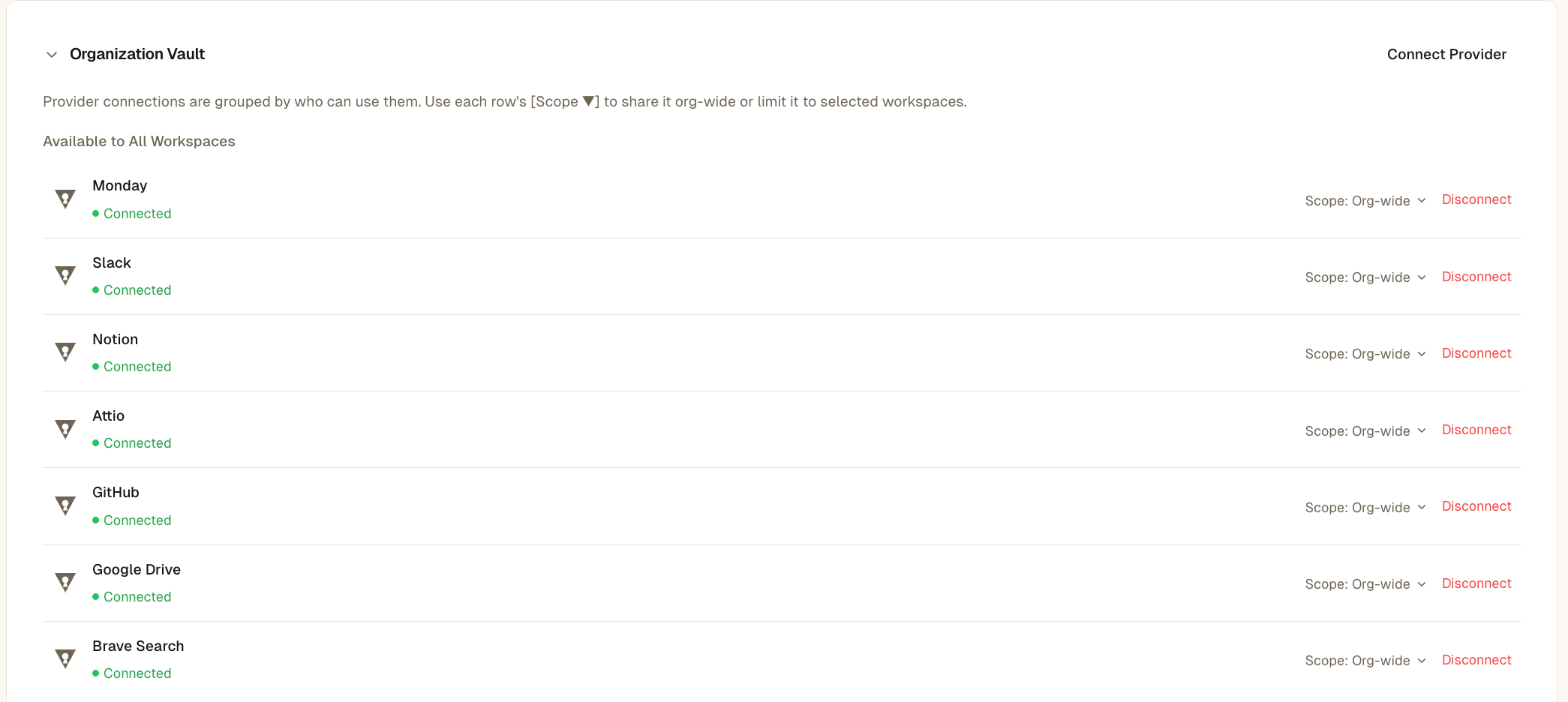
The Organization Vault in the Hub, with its Connect Provider control.
Credential scope
Every credential in the org vault has a scope that decides which workspaces in the org can use it:- Org-wide (
all_workspaces) — available to every workspace in the org. - Selected workspaces (
selected_workspaces) — available only to the workspaces you pick.
all_workspaces and selected_workspaces appear in --json and API payloads.
vault grant and vault revoke commands have been removed. To read a credential’s current scope and its selected workspaces, use jstm vault grant list.
Only an org owner or admin can set a credential’s scope, and only credentials in the org vault are scopeable. Attempting to scope a workspace or personal vault credential is rejected.
How a credential reaches a service
Tools reach their provider through the connector gateway — one destination for every tool call, rather than a separate server per provider. The gateway is the only component that ever holds a provider secret. Three properties of this are worth knowing when you build agents: JoyStream never holds your provider secret. When you connect a service, the OAuth grant is stored by the connection provider. JoyStream records only that the connection exists, which vault owns it, its provider key, and its status. Nothing in a vault row is a token. The connector’s schema is authoritative. Parameter names come from the provider, not from a skill’s own documentation — which routinely disagrees with it,channel_id where Slack actually wants channelId. The action’s schema is captured at build time and frozen into the package, so an agent built today keeps sending exactly the fields it was tested with. At dispatch, parameters are narrowed to the fields that schema declares, and an unexpected field is rejected rather than quietly ignored.
Execution credentials are minted, never stored. When a step calls a service, the executor mints a token scoped to that one service and the connection that resolved for it, for that one dispatch. The token expires a few minutes after minting and is never written anywhere. The agent receives only the result of the call. It never holds the authorization you granted when you connected the service, so a prompt injection or a misbehaving skill cannot read or exfiltrate it. Authoring gets a different, weaker token: it can browse the catalog of providers and actions, and it cannot execute anything or enumerate your connections.
See also
- Audit and scope org credentials — walkthrough.
- Connect a service
jstm vaultandjstm connection