

In the web UI
Open a run. Each step in the timeline shows how many files it produced. Open the step and the drawer lists its Files and, separately, its Logs. Click a file to download it. A file that one step named in its output but another step saved is labelled with the step that saved it.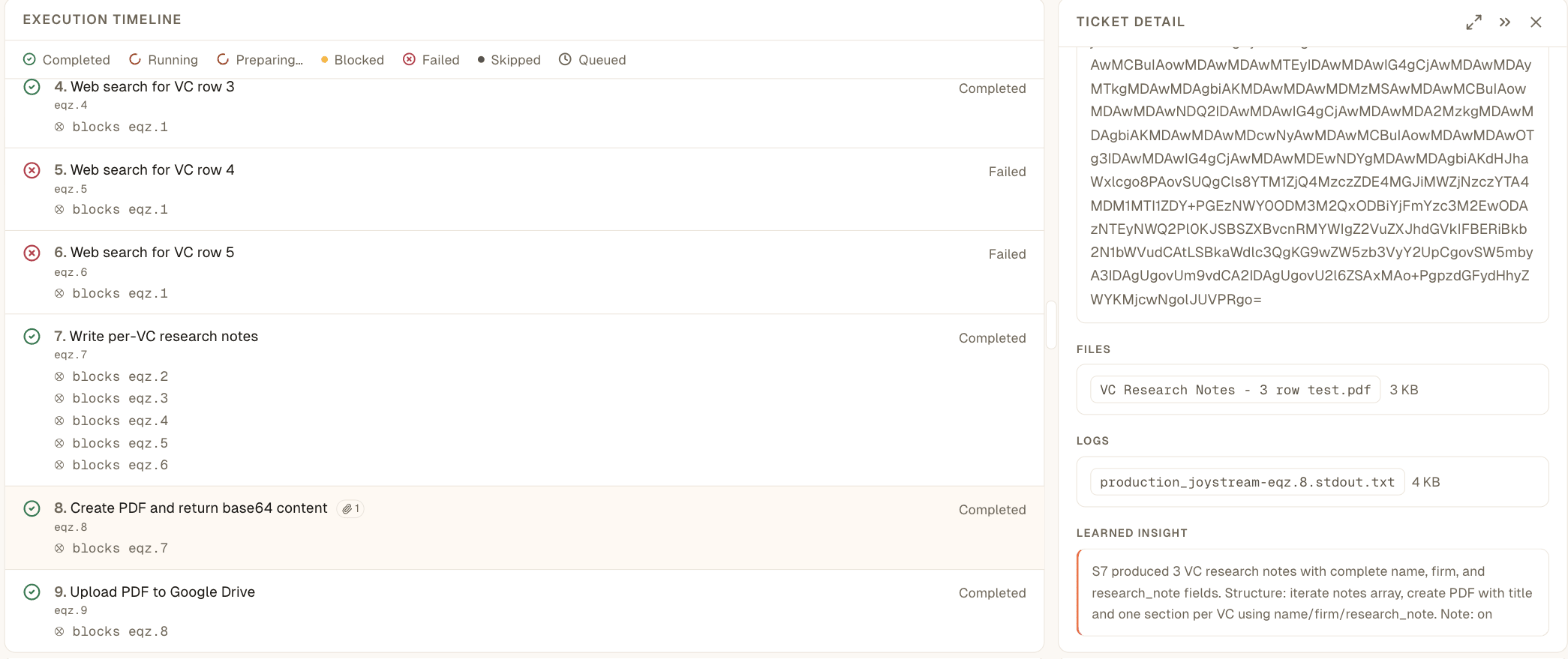
A step's drawer on the run page, with its files and logs.
From the CLI
download saves every file plus each story’s output as a file, under the run’s own paths. Pass an artifact id to save one file, or --no-outputs to skip story outputs. show --text prints a text file up to 1 MiB.
The same three verbs exist on a story ticket as jstm ticket artifact list|show|download. jstm ticket show lists a story’s files. See jstm agent run and jstm ticket.
From an MCP client
A coding agent connected to the JoyStream MCP server sees a run’s files inget_run, wait_for_run, and get_ticket, and fetches one with get_artifact. The tool returns a download link and a safe file name, or the file’s text when it is 64 KiB or smaller. The server’s joystream://docs/artifacts resource tells the coding agent how to list, offer, and save files without exposing the link to you.
How downloads work
Every download goes through a link that works once and expires after 5 minutes. Reusing a link fails. Minting a link requires the same access as reading the run, and each download is recorded in the audit log. An agent run cannot mint links for itself; later steps in the same run reference an earlier file asartifact://<id> instead.
Files larger than 50 MiB are not kept. A run keeps its files until the run itself is deleted.
Build directories and dependency folders such as node_modules/, .venv/, and .git/ are skipped by default. A run can adjust that with a .collectignore file in its output folder, using gitignore syntax.